 Infolab wiki
|
Size: 1387
Comment:
|
Size: 1812
Comment:
|
| Deletions are marked like this. | Additions are marked like this. |
| Line 5: | Line 5: |
| '''1)''' Download the OpenVPN client. Download the client here from here: http://openvpn.net/index.php/open-source/downloads.html. You can also use the direct download links below: | <<TableOfContents()>> == Install the client == '''1)''' Download the OpenVPN client from here: http://openvpn.net/index.php/open-source/downloads.html. You can also use the direct download links below: |
| Line 22: | Line 26: |
| == Set up the connection == |
|
| Line 24: | Line 30: |
| There are two options to start the connection: | |
| Line 25: | Line 32: |
| '''6)''' Run the StartOpenVPN.bat contained among the extracted files. | * From the command line * From the OpenVPN GUI |
| Line 27: | Line 35: |
| '''7)''' Agree to run the command with the Administrative privileges. | === Command line === '''6a)''' Run the StartOpenVPN.bat that you extracted from the ZIP file in step 5. '''7a)''' Agree to run the command with the Administrative privileges. |
| Line 31: | Line 43: |
| '''8)''' The connection should now be running. Please leave the command prompt window open to stay connected. | '''8a)''' The connection should now be running. Please leave the command prompt window open to stay connected. |
| Line 35: | Line 47: |
| '''9)''' If you want to terminate the connection switch back to the command prompt and press F4. | '''9a)''' If you want to terminate the connection switch back to the command prompt and press F4. === OpenVPN GUI === '''6b)''' Copy all the files besides StartOpenVPN from the ZIP file you extracted in step 5 to ''C:\Program Files\OpenVPN\config\''. '''7b)''' You might want to rename the file client.ovpn to whale |
OpenVPN on Windows
This howto was prepared and tested on Windows 7, 64 bit and Windows 7 32 bit.
Install the client
1) Download the OpenVPN client from here: http://openvpn.net/index.php/open-source/downloads.html. You can also use the direct download links below:
Windows 7 64 bit: http://swupdate.openvpn.org/community/releases/openvpn-install-2.3.1-I001-x86_64.exe.
Windows 7 32 bit: http://swupdate.openvpn.org/community/releases/openvpn-install-2.3.1-I001-i686.exe
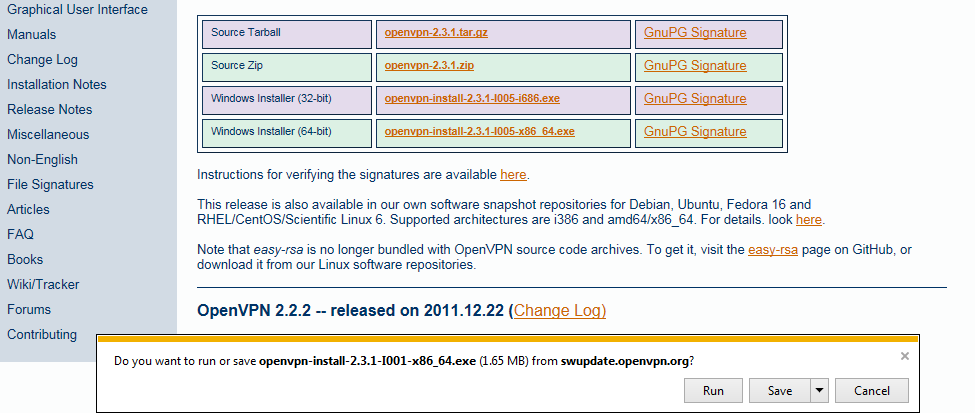
2) Run the OpenVPN installer.
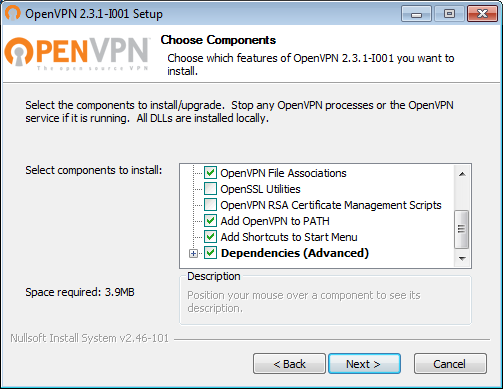
3) Choose the default selection of components when asked.
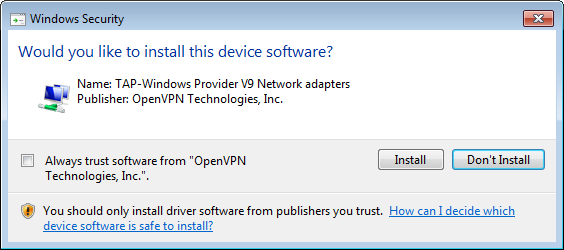
4) Allow the installation of all the drivers the installation wizard wants to install.
Set up the connection
5) If you have not done this already this would be a great time to unzip the file containing your certificate and the connection configuration. Use the file named USERNAME_win.zip.
There are two options to start the connection:
- From the command line
- From the OpenVPN GUI
Command line
6a) Run the StartOpenVPN.bat that you extracted from the ZIP file in step 5.
7a) Agree to run the command with the Administrative privileges.
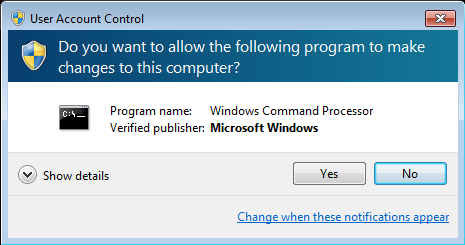
8a) The connection should now be running. Please leave the command prompt window open to stay connected.
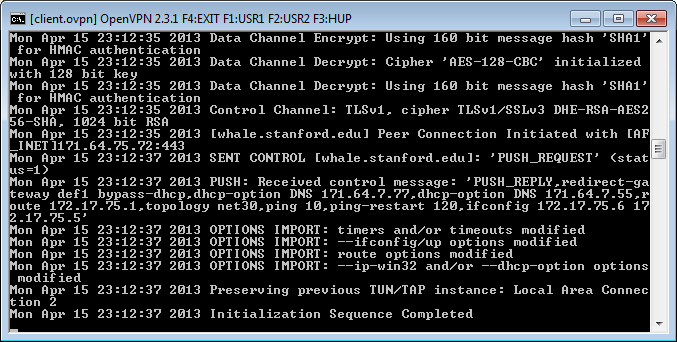
9a) If you want to terminate the connection switch back to the command prompt and press F4.
OpenVPN GUI
6b) Copy all the files besides StartOpenVPN from the ZIP file you extracted in step 5 to C:\Program Files\OpenVPN\config\.
7b) You might want to rename the file client.ovpn to whale